We make Mosaic, an anti-detect browser, which is one kind of multi-account browser. We tried to be fair; corrections to hello@mosaicbrowser.com.
A multi-account browser is anything that lets you stay signed in to two accounts on the same site at once without them overwriting each other. That covers a feature already inside Chrome, a free Firefox add-on, a handful of paid session tools and the whole anti-detect category. They differ in one thing: how much of the account they keep apart.
Three things a site can use to connect accounts
A site that wants to know whether two accounts are the same person has three main readings:
- Cookies and storage: what the browser keeps for that site between visits.
- The fingerprint: what the page can measure about your machine, such as the screen, GPU, fonts, timezone and language. It does not care which account is signed in.
- The IP address: where the connection comes from.
Splitting the first is enough to stop two logins colliding. Splitting all three is what stops a site seeing that both accounts sit on one laptop on one connection. Which you need depends on whether the site minds.
Your profiles, cookies and proxies stay on your computerIn Mosaic: Local first. Profiles, cookies and proxies stay on your computer. Free holds 3 profiles. Pro is $49 a month for any number.
Mosaic is a desktop app
Email yourself the link and open it on your computer.
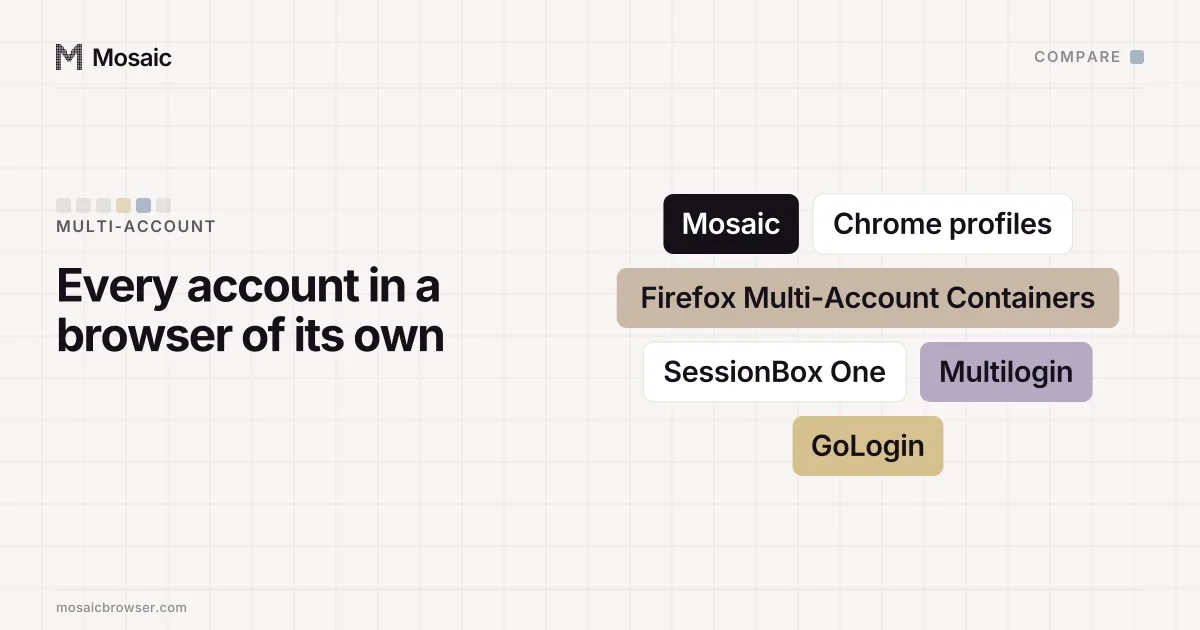
Multi-account browser options, by what they separate
| Cookies and storage | Fingerprint | IP address | Price | |
|---|---|---|---|---|
| Chrome profiles | Yes | No, same machine | No | Free |
| Firefox Multi-Account Containers | Yes | No, same machine | Per container through Mozilla VPN | Free add-on |
| SessionBox One | Yes | See vendor | See vendor | From $12.99 |
| Anti-detect browser (Mosaic, Multilogin, GoLogin and others) | Yes | Yes, per profile | Yes, a proxy per profile | Free plans; paid from $9 a month |
Prices and features from each vendor's own page on 2 November 2026.
Chrome profiles
Built into Chrome. Google's help page says profiles keep "bookmarks, history, passwords and other settings" separate and suggests them for keeping work and personal accounts apart. Each profile is its own cookie jar and its own window. Every profile still runs on the same Chrome on the same computer, so a page measures the same machine in all of them, and they share your connection.
Firefox Multi-Account Containers
Mozilla's add-on separates "website storage into tab-specific Containers", so cookies from one container are not available to another, and tabs are colour-coded. You can assign a site to always open in a given container. It can connect containers to Mozilla VPN with a different location server for each, which is the one built-in way here to split the address too. The fingerprint is still your machine's.
SessionBox One
A paid tool that runs inside your existing browser rather than as a separate Chromium build, with plans from $12.99 a month for Hobby to $99.99 for Teams. It is aimed at people who want many sessions in tabs without leaving the browser they use.
Anti-detect browsers
A separate browser in which each profile has its own cookies, its own fingerprint and its own proxy. Multilogin, GoLogin and most others price by how many profiles you keep, with small free plans (5 cloud profiles on Multilogin, 3 on GoLogin) and paid plans from around $9 to $11 a month for 10 profiles. What an anti-detect browser is explains the mechanics, and the best anti-detect browsers compares seven of them.
Which kind do you need?
If the accounts are yours and the site does not mind you having several, such as a work and a personal email, Chrome profiles or containers are enough and cost nothing. Do not pay for more separation than the job needs.
If you run accounts for clients, stores or markets, and those accounts must not look like they live on one machine, cookies alone are not enough. Two client accounts in two Chrome profiles still show the site the same screen, GPU and fonts from the same address. That is the case for an anti-detect browser, and it is the gap how to manage multiple accounts without getting linked walks through.
Either way, a platform's own rules come first. Where a site allows one account per person, a different browser does not change that. Mosaic keeps accounts you are entitled to run apart; it does not change what a platform allows.
Where Mosaic fits
Mosaic is a multi-account browser of the third kind, for one person on one computer.
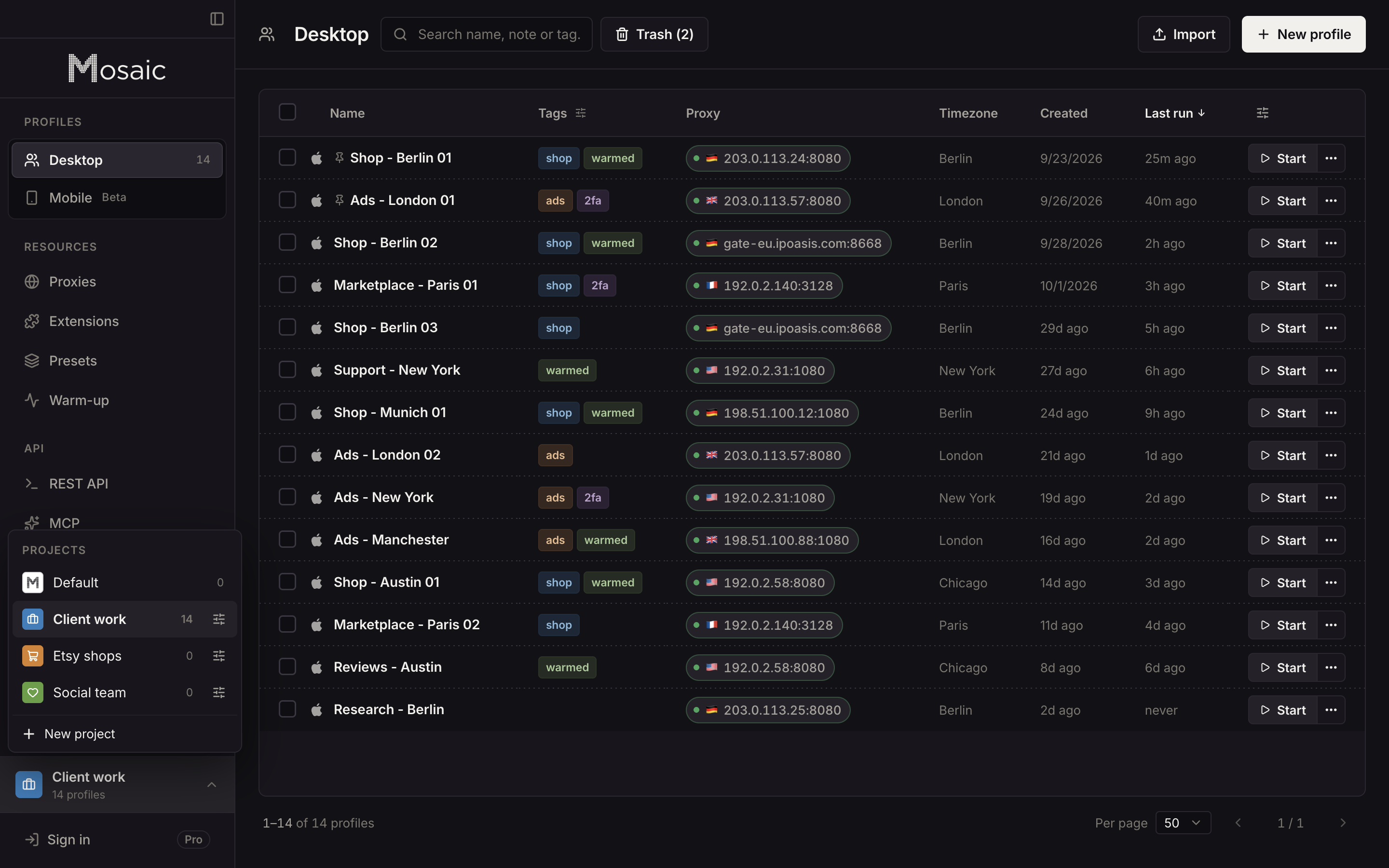
Each profile runs on Tesseract Chrome, our own Chromium, with its fingerprint drawn from records of real machines and changed in C++ inside the engine, so every frame of the page reads the same machine. Each profile gets its own proxy, and a provider saved from one gateway line mints a separate session for each profile so no two share an exit by accident. The timezone, language and location follow the proxy's measured exit. Cookies are kept per profile, encrypted on disk, and can be imported and exported. Each profile's window carries its name, and projects and tags split clients apart.
Everything stays on your computer: profiles, cookies and proxies, with no cloud copy of any profile. That also means Mosaic has no team seats and no way to open a profile from a second machine, and while a Mac can make Windows profiles, the editor warns that they match less well than macOS ones, because fonts and their rendering come from the Mac. Why we chose to keep everything local is in local first.
Free is 3 profiles and 10 profile creations. Pro is $49 a month, one plan, everything unlimited, with a 14-day free trial, on the pricing page.
Sources
- Google Chrome Help: Manage Chrome with multiple profiles, read November 2, 2026
- Mozilla Support: Multi-Account Containers, read November 2, 2026
- Firefox Multi-Account Containers add-on, read November 2, 2026
- SessionBox pricing, read November 2, 2026
- Multilogin pricing, read November 2, 2026
- GoLogin pricing, read November 2, 2026