
A residential proxy seller gives you one gateway: a host, a port, and a username with options written into it, such as a country and a session id. Every distinct session id is a distinct exit address. A provider account in Mosaic keeps that line as a template and mints a new session from it for every profile, so forty profiles get forty exits from one paste.
Why one session per profile
Two profiles on the same session id share one address, and a shared address is the first thing a site compares. Copying the gateway line into forty profiles by hand, and editing the session id in each one without a typo, is how most people end up with two accounts on one exit. Minting makes the separation the default rather than a chore.
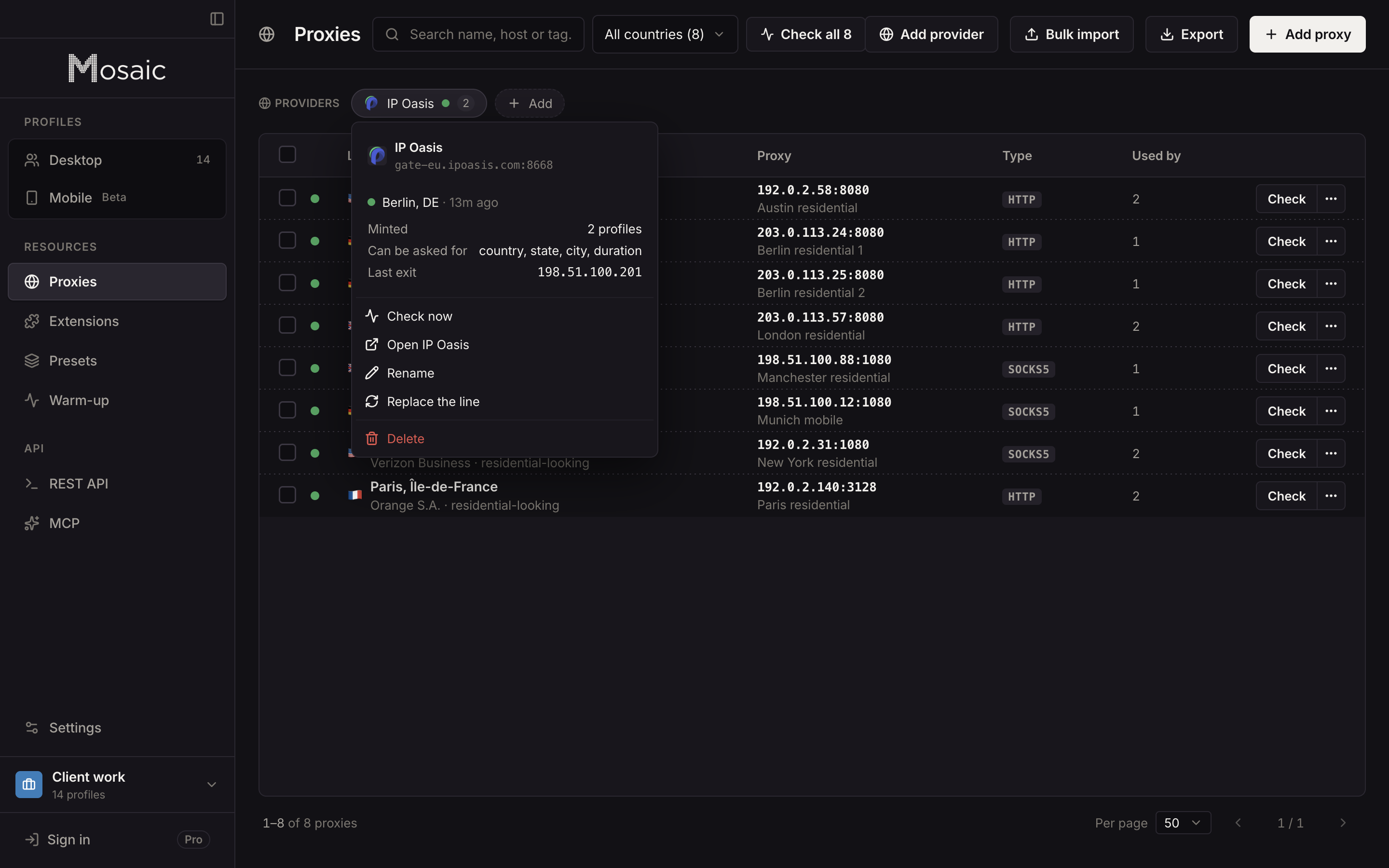
Paste one gateway line. Every profile mints its own exitIn Mosaic: Provider minting. One gateway line, a separate exit for every profile. Free holds 3 profiles. Pro is $49 a month for any number.
Mosaic is a desktop app
Email yourself the link and open it on your computer.
How it works: Provider minting
The pasted line is the specification
Proxy sellers each spell their options differently: which separator they use, whether the tokens ride in the username or the password, what a session id looks like. Mosaic reads all of that back off the line you paste. An option it has never heard of survives the round trip unchanged, because it is copied rather than rebuilt.
When you pick a country, state or city, Mosaic writes it in the seller's own spelling. And when you pick something the seller has no word for, Mosaic refuses by name instead of inventing one. That refusal matters: a gateway that receives a city token it does not understand usually authenticates anyway and ignores it, so the profile comes out somewhere else and nothing tells you.
A dead session is rotated, not retried
A residential pool sometimes hands out a session that reaches nothing. Measured on one pool, a dead session stayed dead for every attempt on that same token while fresh sessions answered normally. Retrying it three times only costs three timeouts.
So when a session Mosaic minted fails, it mints a different one, checks it, and writes it back to the profile so the next launch starts on a working session. This happens at all three places that mint: launching a profile, checking a provider, and creating profiles from one. A session you set by hand is never moved. It is refused with a reason instead, because a pinned session is usually pinned for a reason, like an account that has always logged in from that address.
Checked before every launch
Every minted proxy goes through the same gate as any other: Mosaic will not open a profile behind a proxy that has not answered and tunneled a connection. The exit address and location are measured, and the profile's timezone and language follow that measurement. How to check a proxy before you use it covers what the check looks at.
Presets carry the provider, not an address
A preset that makes many profiles stores a provider and a pick, such as "Germany, Berlin, 60 minutes", never a fixed address. Each profile the preset makes mints its own session. Putting an address in a preset would put a whole batch on one IP, so Mosaic refuses it.
From the window, the API or MCP
Providers work the same at every door. In the window, a profile's proxy field takes a provider and a place. Over the REST API and MCP, the proxy field takes { providerId, country, state, city, minutes } and mints in the same way. The automation surfaces are part of Pro; providers themselves are on every plan, and the pricing page has the rest.
For accounts on consumer platforms, a residential proxy is usually the kind of gateway to paste here.