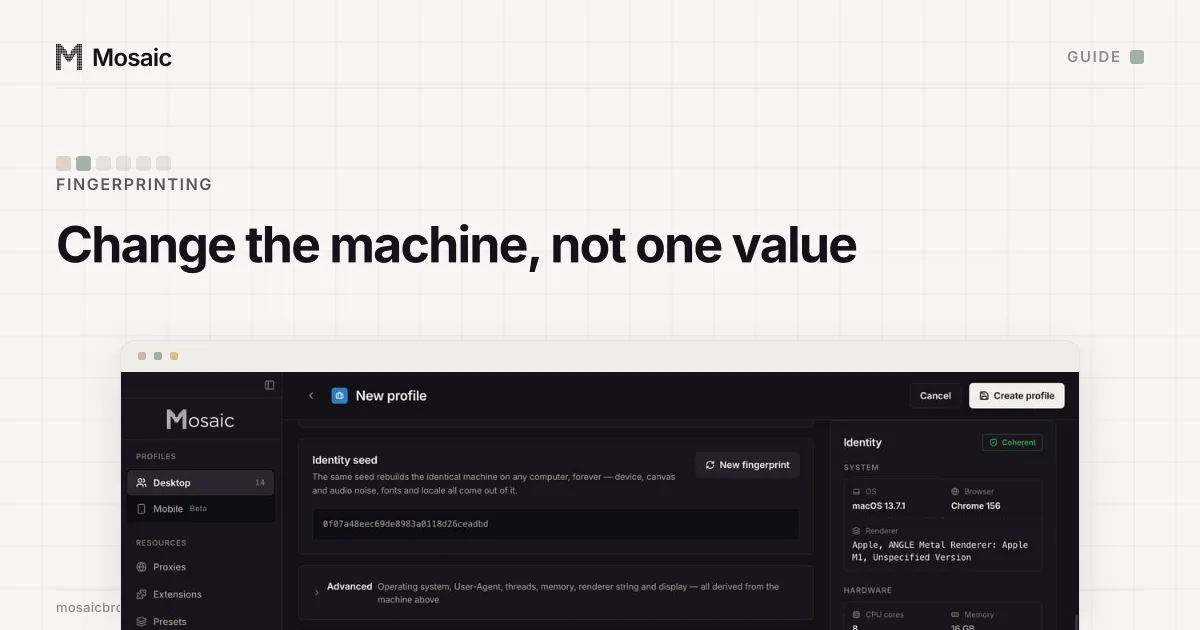
You change your browser fingerprint by changing the computer a page thinks it is talking to: its graphics chip, screen, fonts, CPU threads, memory, timezone and language, all at once and all from one real machine. Change one of them on its own and the rest still describe the old computer. A site then sees two things it did not see before: a new value, and a contradiction.
What your fingerprint is made of
A fingerprint is everything a page can read without asking: the User-Agent and its client hints, the screen size and pixel ratio, the WebGL renderer, the result of drawing a canvas, the audio stack's output, installed fonts, core count, memory, timezone and language list. Each value is common. The combination is often unique, and it stays the same after you clear cookies. Our glossary entry on browser fingerprints goes through what each one reads.
So "change my fingerprint" has two honest meanings. Either you want to look like nobody in particular, or you want to look like a specific, different computer. They need different tools.
Why changing one value backfires
We learned this by measuring it, several times.
Passing a new User-Agent to Chrome with --user-agent looks like the simplest change there is. Measured on a stock Chrome with only that flag, and with a string byte-identical to its own default, the high-entropy client hints went blank: architecture went from "arm" to "" and platformVersion from "26.6.2" to "". No real Chrome answers that way, and IPHey read it as an inconsistent fingerprint. DevTools has the same kind of override, with a form for the client hints (Google's documentation), and it applies to the tab you are inspecting.
The graphics chip is worse. On a stock Chrome with only the renderer string changed, claiming an Apple M2 Pro on an M4 Max machine failed Pixelscan every time, because the string no longer agreed with the capability record the real driver wrote.
Fonts are worse still. An early build of our own engine hid a few font families at random to vary the list. Pixelscan called it masking, and a bisect showed the hidden fonts were the whole cause. A Mac missing two of its system fonts is not a rare Mac. It is a Mac nobody owns.
Every profile is drawn from one real computer, not from separate listsIn Mosaic: Machines that exist. GPU, screen, CPU and fonts from one real device. Free holds 3 profiles. Pro is $49 a month for any number.
Mosaic is a desktop app
Email yourself the link and open it on your computer.
How it works: Machines that exist
Four ways to change your browser fingerprint
| Way | What changes | What it costs |
|---|---|---|
| A different real device | Everything, honestly | A second computer |
| A browser that blends in | Values made uniform across its users | You look like that browser's users |
| A browser that randomises | Some values, per site and per session | Sites that recognise the noise |
| An anti-detect browser profile | The whole machine, per profile | It has to be one coherent machine |
Use a different device
A second laptop or a phone is a different fingerprint because it is a different machine. Nothing contradicts anything. It is the most expensive option and the only one with nothing to get wrong.
Use a browser that blends in or randomises
Brave describes both approaches in its own documentation: making instances "look as similar as possible", and randomising values from a seed that "changes per session, per site (eTLD+1) and per storage area" (Brave's wiki). That is a good fit for privacy, when the goal is that one site cannot follow you to another. It is a poor fit for keeping an account, because an account you log into every day is better served by a device that stays the same.
Use an extension
Extensions that swap the User-Agent or add canvas noise change values in JavaScript, after the page has started. They miss workers, iframes and the request headers, so the page and its own worker can report two different machines. Two spoofs of one value also stack in ways neither predicted. We do not use this approach in our own engine for that reason.
Use one browser profile per machine you want to be
An anti-detect browser keeps several profiles, each with its own fingerprint, proxy and cookies. The test of one is whether a profile reads as a whole real computer, through every surface, in every frame. Our guide to Pixelscan's inconsistent verdict shows what the failures look like when it does not.
How to change a fingerprint in Mosaic
Mosaic draws each profile's hardware together from a catalogue of real machines: GPU, screen, CPU threads, memory, fonts, canvas, audio and WebGL come from one record, and the values are changed inside Tesseract Chrome, our own Chromium, in C++. Timezone, language and geolocation follow the profile's proxy exit.
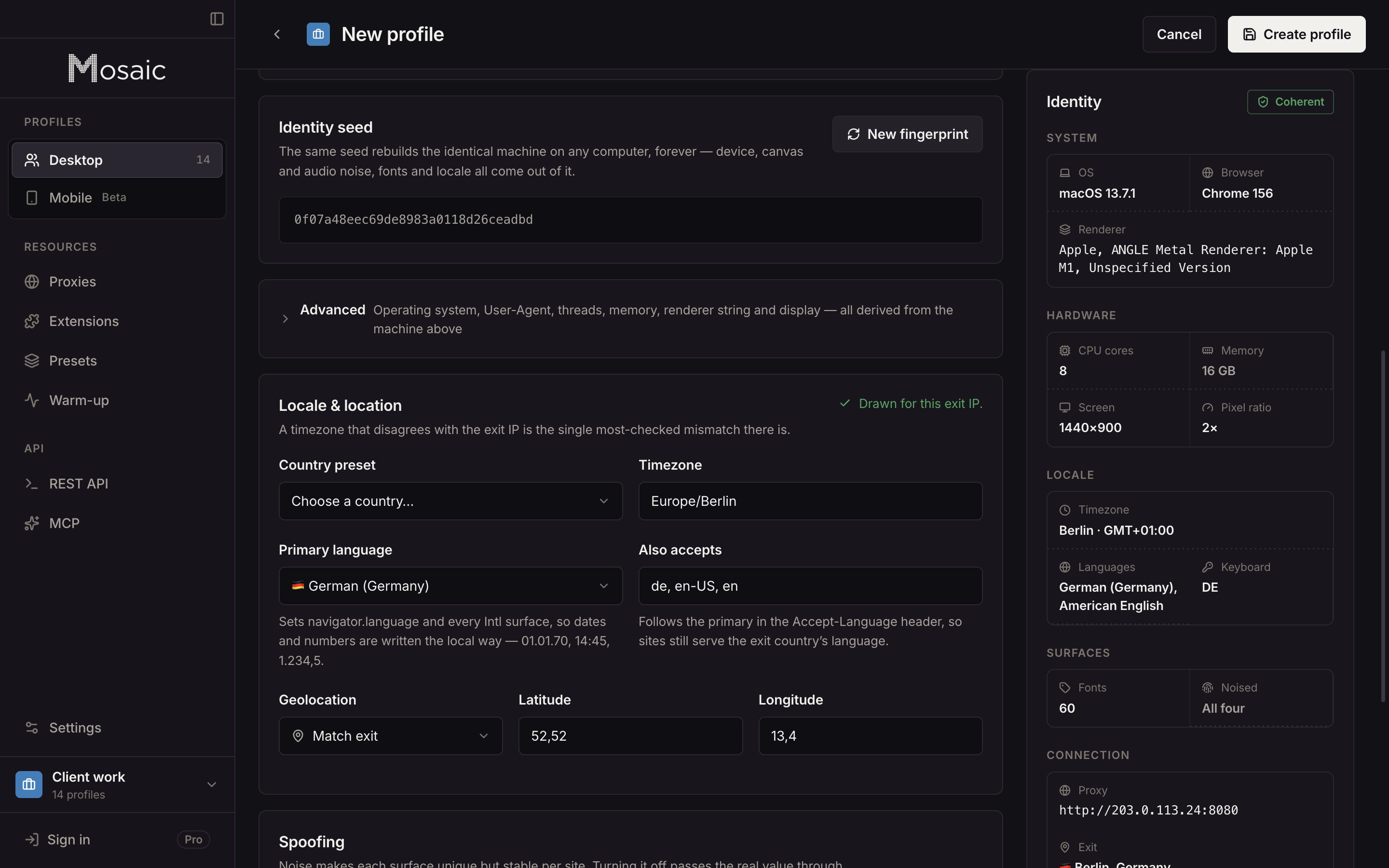
- Open the profile in the editor and go to the Fingerprint tab.
- In the Identity seed card, press New fingerprint. That redraws the device as well as everything the seed decides: canvas and audio noise, fonts and the locale.
- To redraw many profiles, select them, open the bulk editor and use Regenerate all on the fingerprint section.
- Check the result: in the profile list, open the row's menu and choose Check detectors.
The individual fields (operating system, User-Agent, threads, memory, renderer string, display) sit under Advanced, closed and read-only until you turn on "Edit these directly". They are behind two clicks because each one can be edited into a contradiction the generator would never produce.
Two limits are worth knowing. A profile can claim any desktop OS or Android, but fonts and their rendering come from the real machine, so on a Mac a macOS profile matches best and the editor cautions on a Windows or Linux one. And a new fingerprint on a profile that is already signed in to something is, to that site, the same account on a new device. If you want a separate identity, make a new profile rather than redrawing an old one.
The values a profile claims, and how they are set below the page, are on the Tesseract Chrome engine page.
Sources
- Brave: Fingerprinting Protections, read November 2, 2026
- Chrome DevTools: Override the user agent string, read November 2, 2026