We make Mosaic, which works with proxies and sells none. We tried to be fair; corrections to hello@mosaicbrowser.com.
The best proxies for anti-detect browsers are the ones that let every profile keep its own address for as long as the account needs it. A browser can give each account its own fingerprint and cookies, but if forty profiles leave through one exit, the site sees one address with forty visitors. So the proxy question is less "which brand" and more "which kind, and how does it hold a session". And each platform's terms decide how many accounts you may run there: Mosaic keeps accounts you are entitled to run apart; it does not change what a platform allows.
The best proxies for anti-detect browsers, by kind
| Kind | What a site sees | Good for | Weak at |
|---|---|---|---|
| Residential | A home broadband address | Accounts on consumer sites, local views of a market | Sessions can drop when the home device goes offline |
| ISP (static residential) | A home-provider address on a server | Long-lived accounts that should keep one address for weeks | Fewer cities, higher price per address |
| Mobile | A carrier address shared by many phones | Mobile-first platforms, as seen from a phone network | Cost, and exits move as the carrier reassigns |
| Datacenter | A hosting company's address | Checking pages, research, speed | Many sites can tell a hosting range from a household |
For anything you log in to, we would pick residential or ISP, and sticky rather than rotating. A rotating proxy hands out a new exit on every request, which is right for collecting public pages and wrong for an account: the site watches one signed-in session hop between addresses. The residential proxy entry covers where those addresses come from.
Paste one gateway line. Every profile mints its own exitIn Mosaic: Provider minting. One gateway line, a separate exit for every profile. Free holds 3 profiles. Pro is $49 a month for any number.
Mosaic is a desktop app
Email yourself the link and open it on your computer.
How it works: Provider minting
What to compare between sellers
Most sellers of residential proxies sell the same shape: one gateway host and port, and options written into the username or password. The options are where they differ, and they decide how well a seller fits a browser with many profiles.
- How a sticky session is spelled. A session id in the credentials pins an exit. You need one per profile.
- How long it holds. Some keep a session for minutes unless you ask for longer; some take a lifetime in seconds, minutes or hours.
- What happens when the exit dies. Silent replacement with a new address, or an error. For an account, an error you can see beats an address change you cannot.
- Targeting. Country, state, city, sometimes ISP. Check that the seller really has a word for the level you need.
- Auth and protocol. Username and password over HTTP or SOCKS5 is the common case.
Here is how four sellers document those, read on their own pages on 2 November 2026:
| Seller | Session token | Default hold | When the exit drops |
|---|---|---|---|
| Bright Data | -session-<id> in the username | Up to 5 minutes of idle time (residential FAQ) | A 502 on the next request, then a new peer; add -const to get the error and keep it |
| Oxylabs | -sessid-<id> in the username, -sesstime-<minutes> to set length | 10 minutes, or 60 seconds without a request | A new IP is assigned; sessid_oneip binds one node and returns 502 instead |
| IPRoyal | _session-<id>_lifetime-<time> in the password | Set by lifetime, in s, m or h | A replacement by default; its docs describe a killswitch option |
| Geonode | -session-<id> with -lifetime-<minutes> in the username | Set by lifetime; sticky traffic on its own port | See vendor |
Two of those behaviours are the difference between noticing a problem and not. Bright Data and Oxylabs both document a mode where a dead exit returns an error instead of a quiet new address. For an account that has always signed in from one city, that is the mode you want.
How Mosaic uses a seller's line
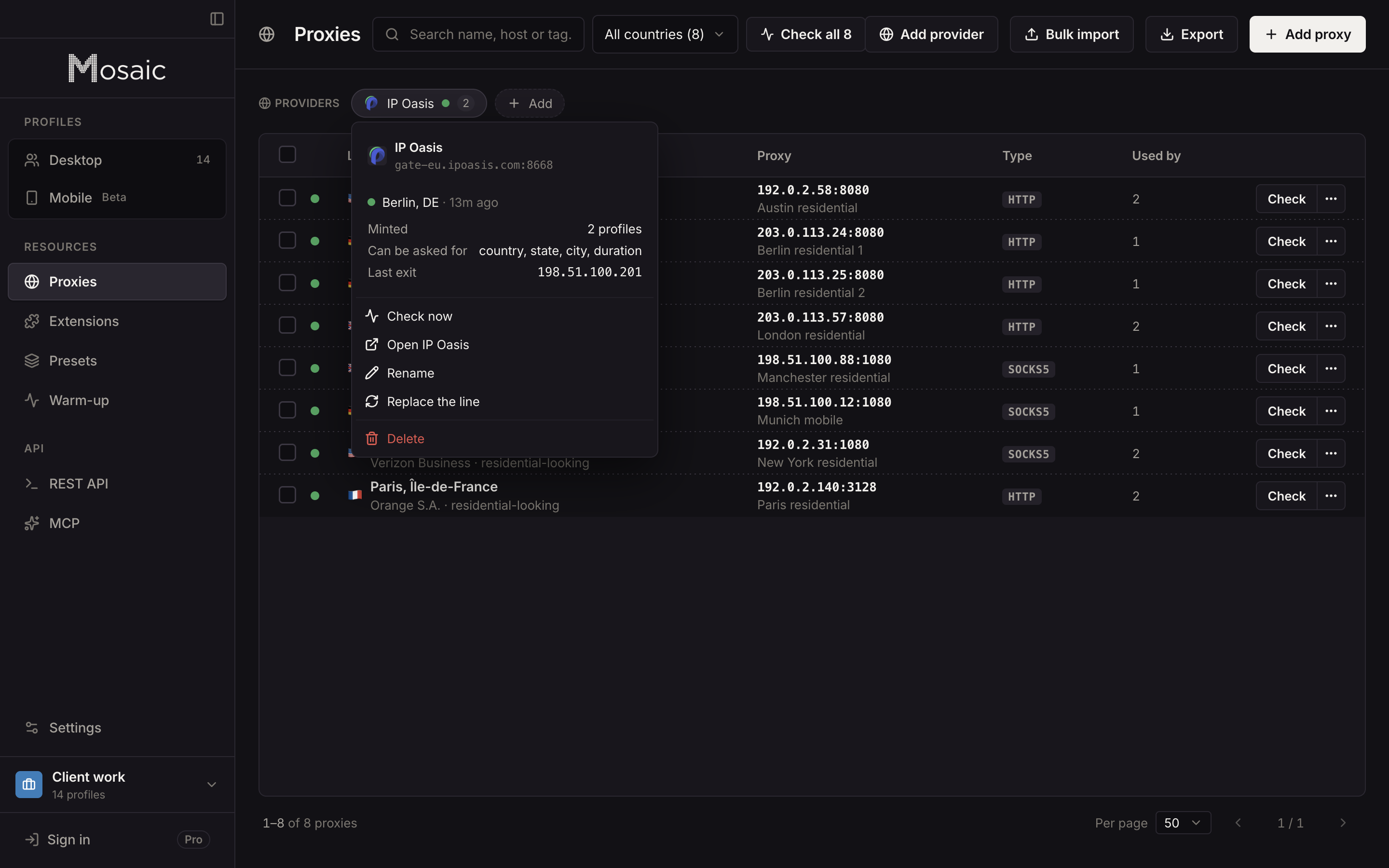
Paste one gateway line from your seller into Proxies as a provider. Mosaic keeps it as a template, reads the seller's own spelling back off it (separator, which credential carries the tokens, the shape of a session id), and mints a separate session for each profile, so no two profiles share an exit unless you pin them to it. Country, state, city and session minutes are offered only where the seller's format has a word for them. A pick the seller cannot spell is refused by name, because a gateway that receives a token it does not understand usually signs you in anyway and ignores it.
Mosaic's vendor table has 40 sellers. Six are tested against live lines: Cat Proxies, IP Oasis, Thordata, Proxiware, Geonode and DataImpulse. The rest, Bright Data, Oxylabs and IPRoyal among them, are read from each seller's documentation and not yet run against a live account. Any other seller works as a plain proxy, pasted one per profile or as a list.
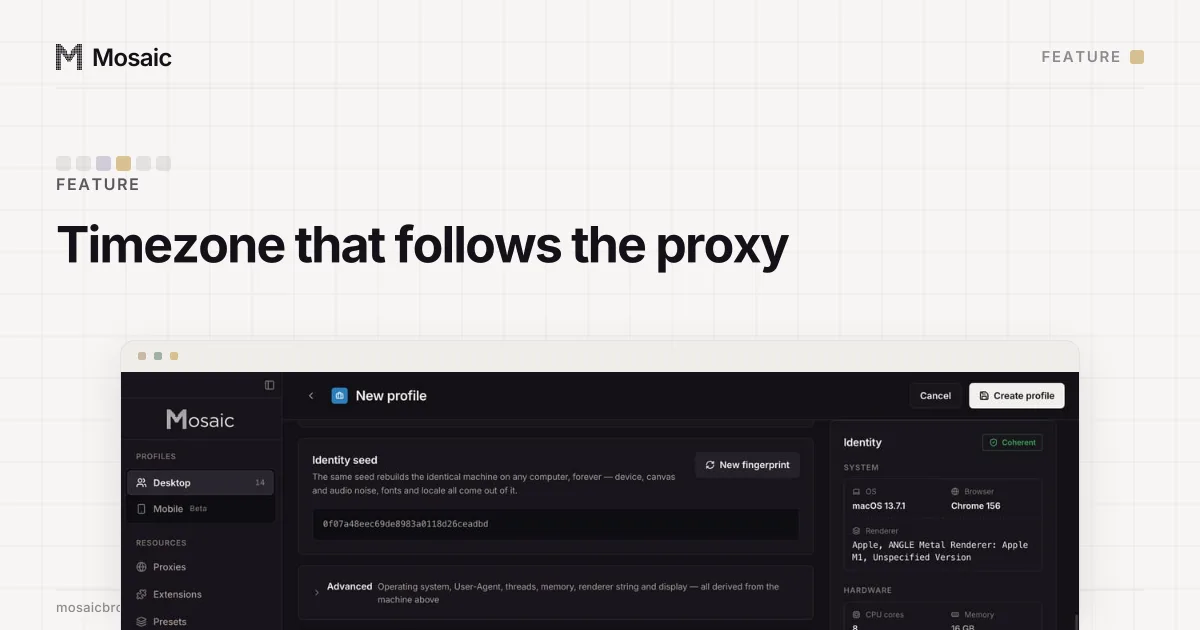
Three things happen around every launch. The proxy is checked, and a profile does not open behind one that has not answered and tunnelled. The exit is measured, and the profile's timezone, language and location follow it. And with a proxy attached, the engine runs with --webrtc-ip-handling-policy=disable_non_proxied_udp, which stops WebRTC from going around the proxy to your real address.
What we measured about dead sessions
Residential pools hand out a dead session now and then. When we drew forty fresh sessions from IP Oasis, one came back with a 504 on the twenty-ninth, and it stayed dead: four attempts on that same session, four 504s, while most of the fresh sessions drawn after it answered 200. Retrying a dead session only buys more timeouts. So when a session Mosaic minted fails, it mints a different one, checks it, and writes it back to the profile. A session you pinned by hand is never moved; the launch is refused with the reason instead.
How to check a proxy before you use it covers what to read in an exit before trusting an account to it, and residential proxies for multiple accounts goes into session length against account lifetime.
Which to pick
- Logged-in accounts on consumer platforms: sticky residential, one session per profile, in the account's market.
- Accounts that must keep one address for weeks: ISP proxies, pinned per profile.
- Mobile-first platforms viewed from a phone network: mobile proxies, accepting the cost.
- Page checks and research with nobody logged in: rotating residential or datacenter.
Providers, checks and minting are on every Mosaic plan. Free is 3 profiles and 10 profile creations; Pro is $49 a month, one plan, everything unlimited, on the pricing page.
Sources
- Bright Data Docs: Residential products FAQ, read November 2, 2026
- Bright Data Docs: Disable peer rotation, read November 2, 2026
- Oxylabs Developers: Residential proxies session control, read November 2, 2026
- IPRoyal Docs: Residential proxy rotation, read November 2, 2026
- Geonode Docs: Custom session ID and lifetime, read November 2, 2026