Every proxy with a login comes down to four values: the host (an IP address or a hostname), the port, the username and the password. The most common proxy format writes them as ip:port:username:password, and every other format is only a different order or a different separator. Sellers' dashboards export a handful of shapes, and most problems people hit come from pasting one shape into a tool that expects another.
Proxy formats with ip, port, username and password
The examples use 203.0.113.24, an address reserved for documentation, with user and pass as the login.
| Format | Example | Where you meet it |
|---|---|---|
ip:port:username:password | 203.0.113.24:8080:user:pass | the most common export from seller dashboards |
username:password@ip:port | user:pass@203.0.113.24:8080 | curl, scripts, many browser extensions |
scheme://username:password@ip:port | socks5://user:pass@203.0.113.24:1080 | anything that needs the protocol spelled out |
username:password:ip:port | user:pass:203.0.113.24:8080 | some dashboards, reversed |
ip:port@username:password | 203.0.113.24:8080@user:pass | some dashboards, reversed |
ip:port | 203.0.113.24:8080 | proxies with no login, allowed by your IP instead |
A reader can tell ip:port:username:password from username:password:ip:port by where the number sits. A port is a number from 1 to 65535 and a password usually is not, so the field that is a port marks where the address is. That is the rule Mosaic's importer uses, and it is why a numeric password, like user:12345, can still confuse a careless one.
Paste one gateway line. Every profile mints its own exitIn Mosaic: Provider minting. One gateway line, a separate exit for every profile. Free holds 3 profiles. Pro is $49 a month for any number.
Mosaic is a desktop app
Email yourself the link and open it on your computer.
How it works: Provider minting
What the format leaves out
The colon format has no place for the protocol. A line like 203.0.113.24:1080:user:pass might be HTTP or SOCKS5, and the line cannot tell you. Pick the type yourself, or rewrite the line as a URL with http:// or socks5:// in front.
Getting this wrong does not fail where you would expect. We met it with Cat Proxies, whose ports name the protocol: 9000, 10000 and 12000 answer HTTP and 11000 answers SOCKS5. A batch of 11000 lines imported as HTTP looked fine in the list and failed at launch, one profile at a time. Mosaic now reads the port on that seller's lines, and a proxy check before first use catches the rest.
Chrome adds one more limit. Its --proxy-server flag takes scheme://host:port only, and Chromium's documentation says Chrome "will not use any credentials embedded in the proxy settings" (proxy.md, read 2 November 2026). For HTTP proxies Chrome asks for the login in a box; for SOCKS5 it cannot send one at all, which Chrome SOCKS5 proxy with username and password works through.
When the username carries options
With a residential seller the username is rarely just a name. It carries the country, sometimes a city, and the session id that keeps one exit. Oxylabs' example is customer-USERNAME-cc-DE-sessid-abcd1234, with the password on its own (Oxylabs session control). IPRoyal puts the options in the password instead: password321_country-br_session-sgn34f3e_lifetime-10m (IPRoyal rotation docs).
Either way the format stays the same four values. What changes is that two lines differing by one token are two different proxies, and usually two different exits. The session token is what decides rotating against sticky behaviour, which rotating vs sticky proxies covers seller by seller.
Converting between formats
For a few lines, a text editor's find and replace does the job. For a list, check two things after converting: that no password containing a colon or an @ was split in the wrong place, and that the protocol survived. Then check one proxy from the list before using any, the way how to check a proxy before you use it describes, because a list that converts cleanly can still point at the wrong port.
Pasting a list into Mosaic
Mosaic reads every shape in the table above, so there is nothing to convert first.
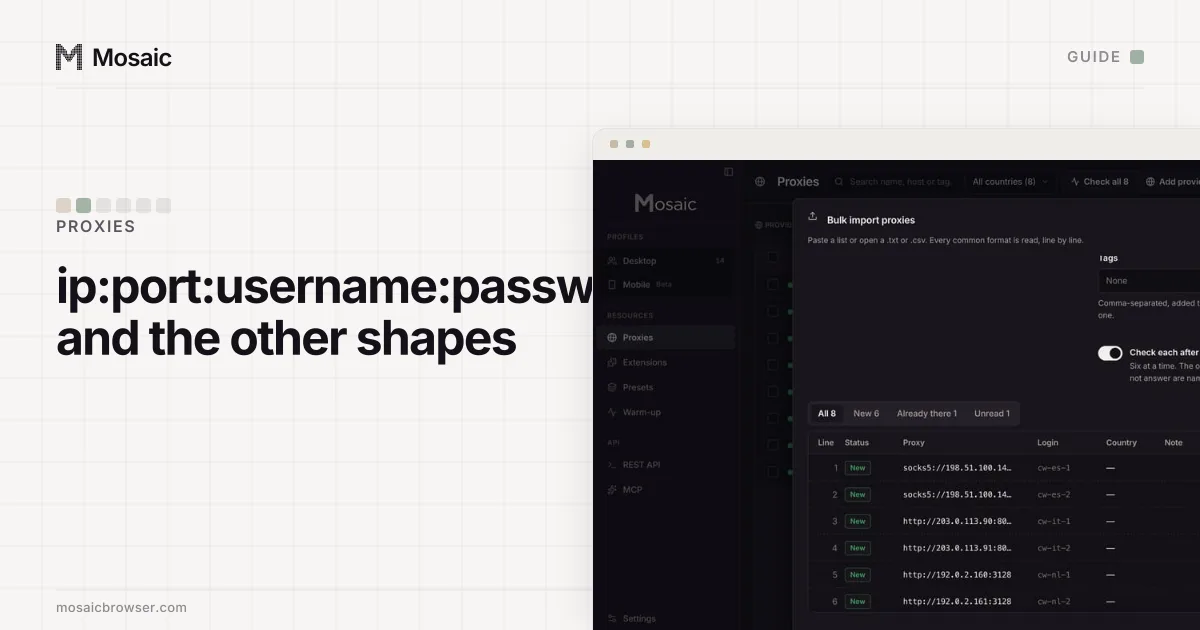
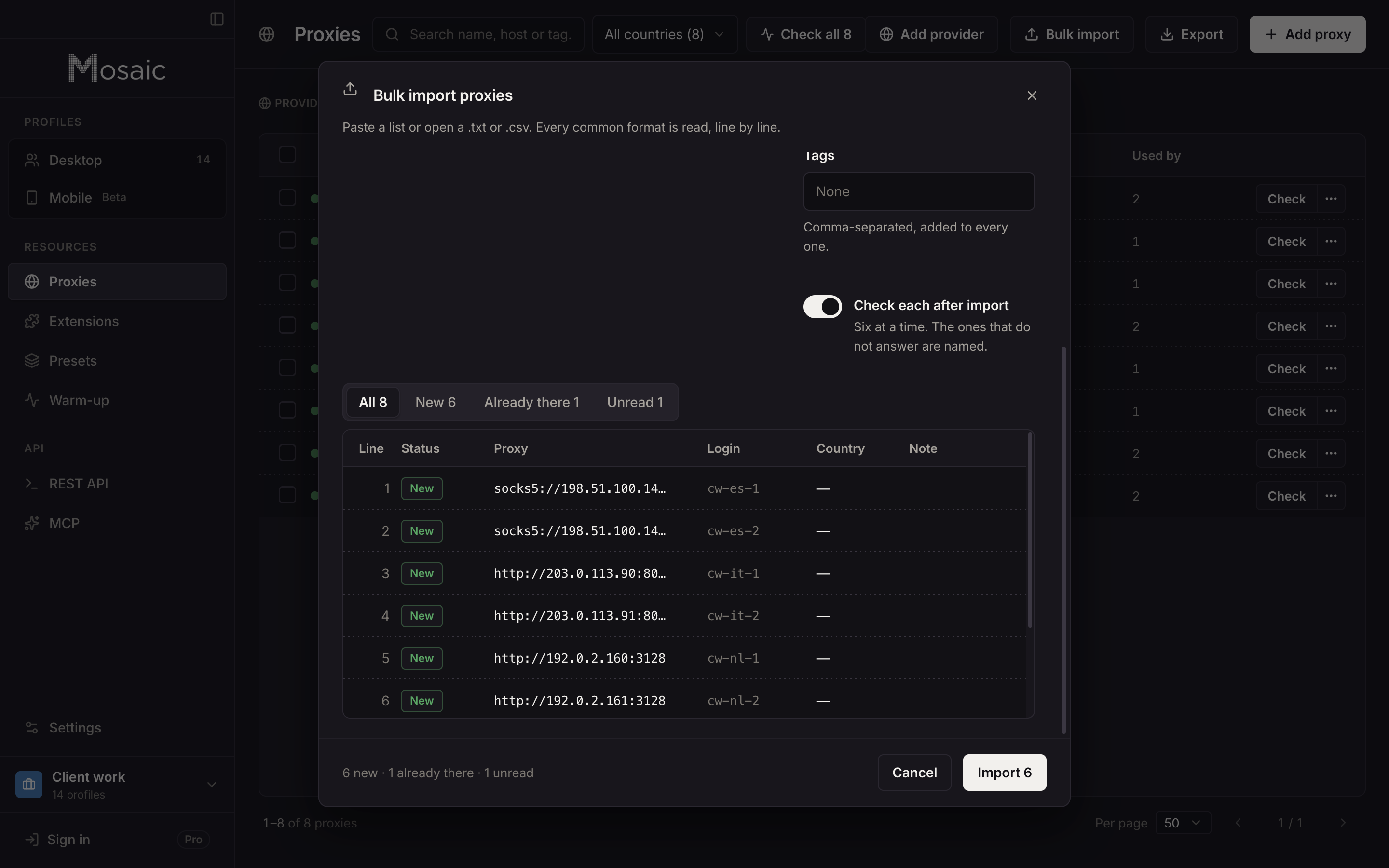
- Open Proxies › Bulk import, then paste the list or open a .txt or .csv file.
- Read the preview. Each line is marked New, Already there or Unread, and an unread line says why, so one bad line does not sink the rest.
- Leave Check each after import on. Mosaic checks six at a time and names the ones that do not answer.
- Press Import.
A CSV or TSV with a header row works too, with columns found by name, such as host, port, username, password, type and country. A trailing |US on a plain line records the country the seller says it is in. Proxies export back out as URLs, colon lines or CSV, in a form the importer reads again. If your seller sells one gateway line rather than a list, save it as a provider instead, as the proxy providers page explains.
Sources
- Chromium: Proxy support in Chrome (net/docs/proxy.md), read November 2, 2026
- Oxylabs Developers: Residential proxies session control, read November 2, 2026
- IPRoyal Docs: Residential proxy rotation, read November 2, 2026