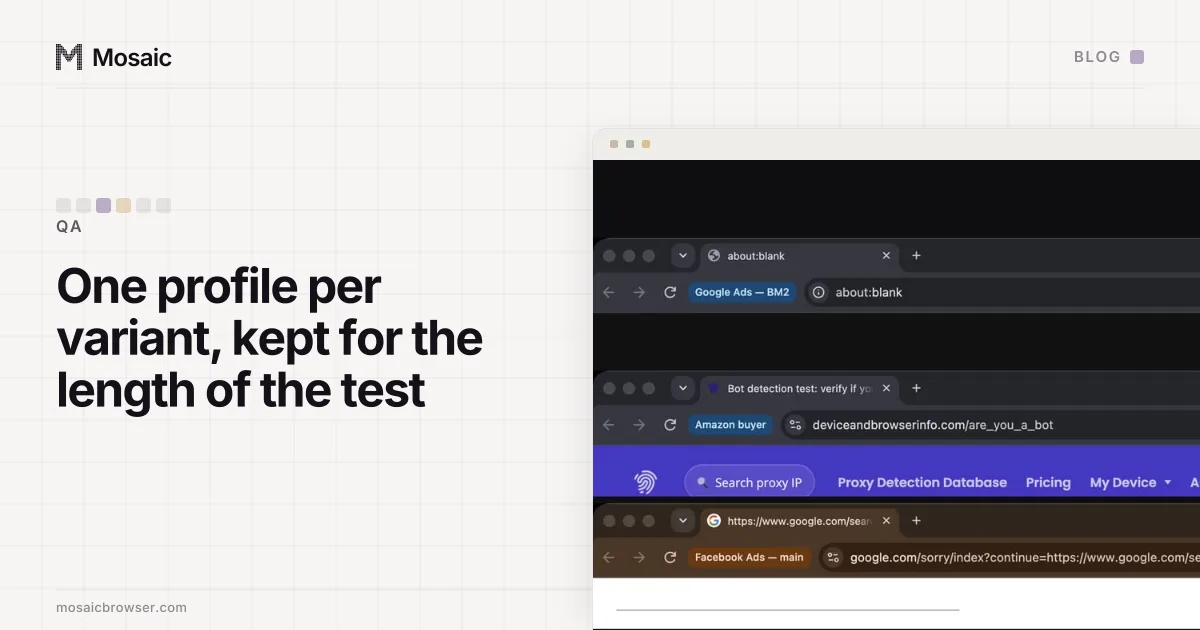
To see both variants of an A/B test you need two browsers the testing tool has never met, and you need to keep them. Optimizely, VWO, GrowthBook and the rest put each visitor in a variant by an id, usually stored in a cookie, and send that visitor to the same variant on every later visit. So the way to check every side of a test is one browser profile per bucket, kept for as long as the test runs.
Why you keep landing in the same variant
A testing tool's first job is consistency. If a visitor saw the new checkout on Monday and the old one on Tuesday, neither number would mean anything. So on the first visit the tool gives the browser an id, and from then on the variant is a function of that id.
On the client-side platforms that id lives in a first-party cookie. Optimizely Web stores it as optimizelyEndUserId. VWO keeps a visitor id in _vwo_uuid and records the assigned combination for each test in a cookie named after the test, _vis_opt_exp_<id>_combi. GrowthBook hashes an attribute you choose, usually an id, together with the experiment's key into a number between 0 and 1, and the traffic split decides which range is which variant. Different mechanics, same consequence: same id in, same variant out.
Server-side tests on logged-in pages use the account's user id instead of a cookie. There the variant follows the login, and two browsers signed in as the same test account will always agree.
Everything the window does, from a script on your own computerIn Mosaic: REST API. Everything the window does, from your own scripts. Free holds 3 profiles. Pro is $49 a month for any number.
Mosaic is a desktop app
Email yourself the link and open it on your computer.
What does not get you the other variant
Reloading does nothing, by design. A different IP address, from a VPN or a proxy, also does nothing on its own: the cookie travels with the browser, and the tool reads the cookie. The address only matters for tests targeted by country or region, where it decides whether you are in the test at all.
Clearing cookies or opening a private window does get you a new id, and so a new draw. That is a coin toss, and it costs you the state: the moment you close the window, the variant and everything you did in it are gone, and the next private window may draw the same variant again. With a 50/50 split, three fresh browsers all land on the same side a quarter of the time. Five still do one time in sixteen.
Every one of those fresh draws is also a new visitor in your results.
One profile per bucket
The method that holds up is the dull one. Create a few profiles, open the page in each, see which variant each one drew, and keep the profiles that cover every side. Name each after what it showed ("Pricing test · B", "Pricing test · control"), so nobody has to work it out again tomorrow.
Then keep them, because most of what is worth checking happens after the first page view:
- The variant should survive a return visit a day later, which only a kept profile can show.
- The rest of the funnel (signup, cart, checkout, the confirmation page) should stay on the same side of the test.
- A follow-up email or a logged-in dashboard sometimes carries the test on, and you want to see it from the same visitor.
- When the test ends, the profile should fall back to the winner, and a profile that drew the losing variant is the one that shows it.
This is the opposite of what we recommend for automated tests, where a fresh profile for every run keeps leftover state from making a run flaky. A one-time profile that trashes itself when its browser closes is exactly wrong here: the leftover state is the thing you are testing.
Forced variants are for the page, buckets are for the test
Most platforms also give you a way to skip the draw: a preview link from the dashboard, or a URL parameter that forces a variation for QA. Use it to check that a variant renders. It shows you the page without testing the assignment, so it cannot tell you that targeting excludes the right people, that the split is the one you configured, or that a visitor stays put across sessions. Real buckets can.
Tests targeted by country add one more variable. A profile with a proxy in that country, and the timezone and language that go with it, is a visitor from there as far as the tool can tell; the date-and-deadline version of the same problem is in testing in another timezone.
Keeping QA visits out of the numbers
A team checking a test by hand can add dozens of new visitors to a small test. Most platforms let you exclude traffic by IP, and the office address is the usual filter. That filter stops working the moment a profile browses through a proxy, because the tool sees the proxy's exit, not your office.
Exclude by something the test profiles carry instead: a query parameter on the first visit that your setup turns into an exclusion, or a cookie your platform recognises as internal traffic. In Mosaic each profile has its own cookie jar, so you can put that cookie into the test profiles once, from the Cookies tab of the profile editor, and it stays in those profiles and nowhere else. Giving each profile a clear name and a tag for the test it belongs to is the same habit described in keeping twenty QA test accounts straight.
When the test is a checkout, the profile that has never seen your store is also the right customer for testing your checkout as a new visitor.