Amazon sellers who look for an anti-detect browser usually have a real reason: a second brand run as its own company, a wholesale account next to a private-label one, or an account manager who works in two clients' Seller Central on the same afternoon. What they want is for those accounts never to share a session, an address or a pile of downloads. Mosaic does that, with one condition that sits above everything on this page.
Amazon's rule comes first
Amazon's Seller Code of Conduct tells sellers not to "operate more than one selling account on Amazon without a legitimate business need" (Amazon Seller Central, read 2 November 2026). Amazon's forum guidance on multiple accounts gives separate brands run as separate businesses as an example, and warns that a problem on one account can affect related accounts (Amazon Seller Forums, read 2 November 2026). Amazon decides what is legitimate, and it can ask.
Mosaic keeps the accounts you are entitled to run apart; it does not change what Amazon allows. If Amazon has closed an account, a new browser is not the answer, and we will not help with that.
What Amazon can see from a browser
Inside Seller Central, a browser shows Amazon three things a second account can share with the first: cookies and storage, the device fingerprint (GPU, screen, fonts, timezone, language and a few dozen more values), and the IP address. A Chrome profile per account splits the cookies and leaves the other two identical. A VPN moves the address and leaves the fingerprint. How accounts get linked takes each layer in turn.
What no browser can split is the business itself. Bank accounts, the business address, tax details, phone numbers and the same listings on two accounts all connect accounts, and a separate business keeps them separate because it is one.
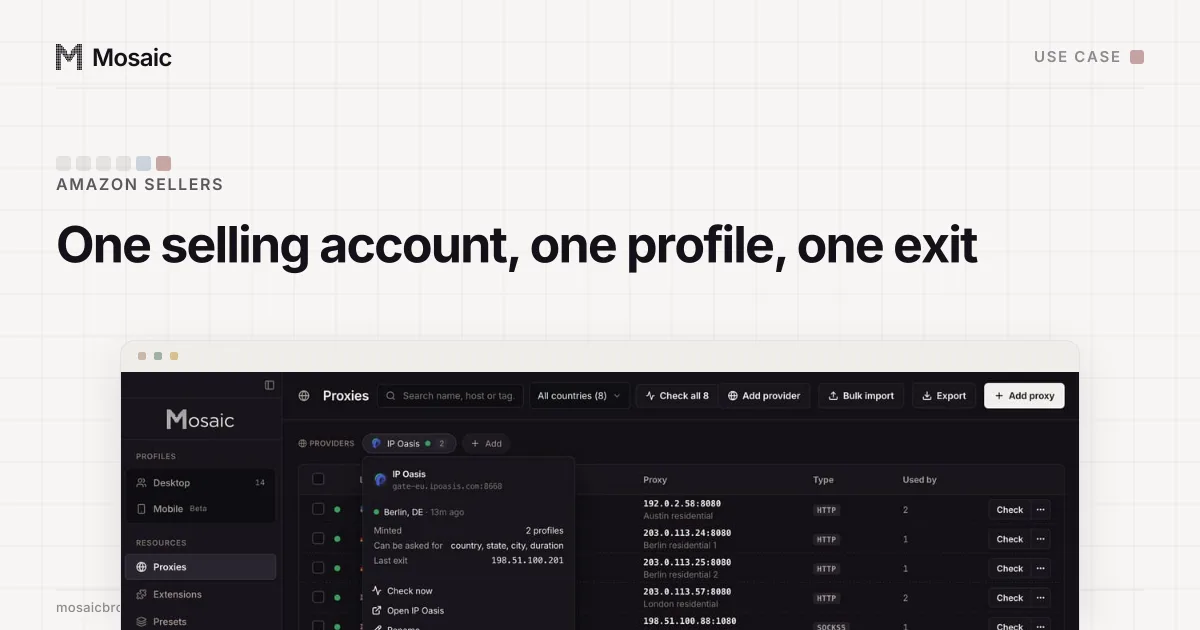
Paste one gateway line. Every profile mints its own exitIn Mosaic: Provider minting. One gateway line, a separate exit for every profile. Free holds 3 profiles. Pro is $49 a month for any number.
Mosaic is a desktop app
Email yourself the link and open it on your computer.
How it works: Provider minting
Set up one profile per selling account
- Make the profile on the computer you work from. It gets hardware drawn together from real devices. On a Mac that is a Mac profile by default. Mosaic can make a Windows one too, with a caution in the editor, because the fonts come from the real machine and a Mac's own OS matches best.
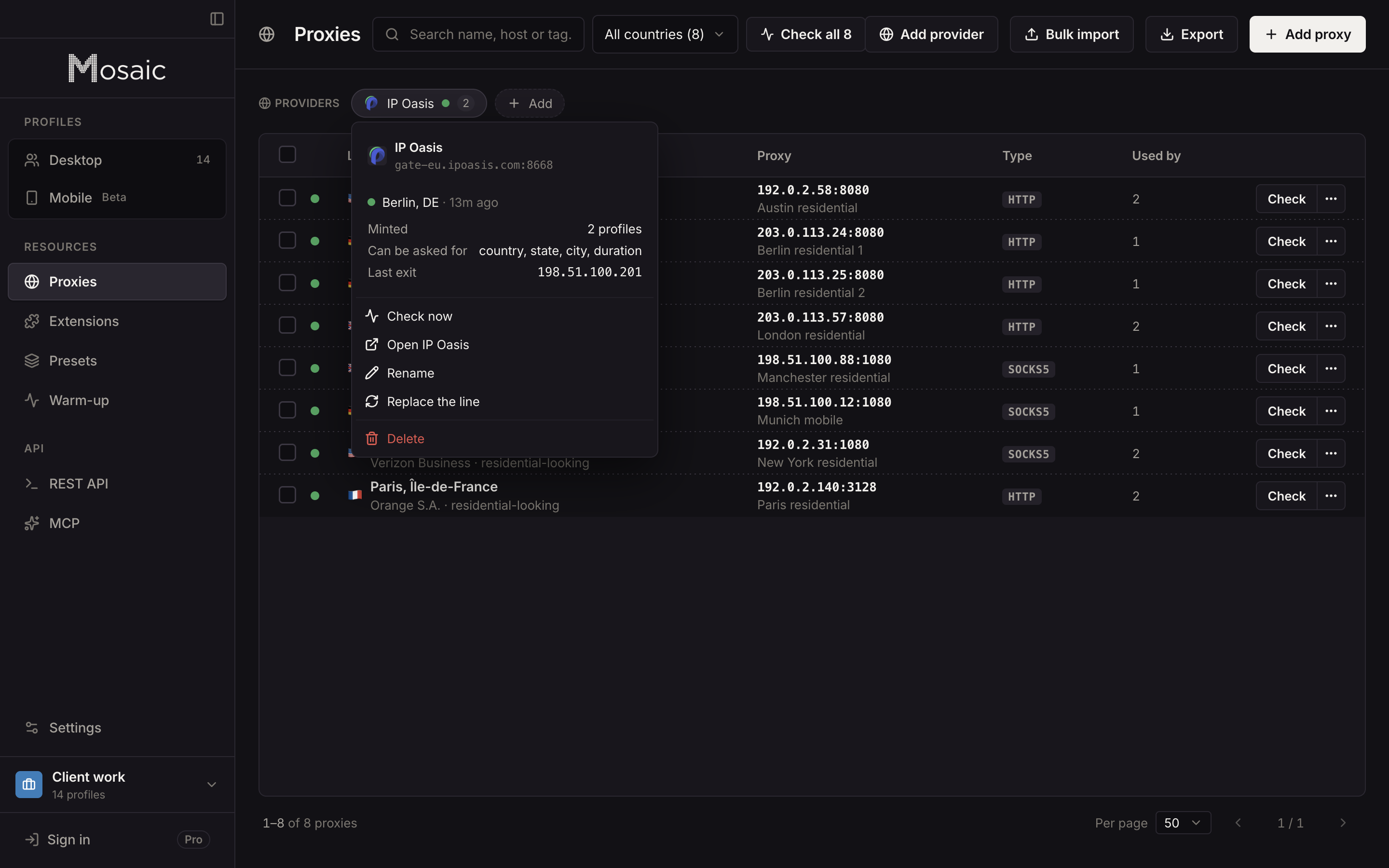
- Give it a steady exit. Paste your proxy seller's gateway line as a provider and pick the country the account sells in. The profile mints its own session, so it shares an address with nothing else. A residential proxy is the usual choice.
- Pin the session. A selling account should not move around. Mosaic never relocates a pinned session: if that exit stops answering, the launch is refused with the reason, and you decide what to do.
- Bring the existing login across. Import the account's cookies as JSON, Netscape cookies.txt or header form, so an account you already run does not start from a blank browser.
- Store the two-step codes with it. Each profile has a credential vault with TOTP codes, typed into the page with real keystrokes, and the companion shows them only inside that account's window.
Day-to-day work in Seller Central
Downloads stay with their account. Settlement reports, invoices and label PDFs save into the profile's own folder, kept out of Spotlight and deleted with the profile, so a report never ends up uploaded to the wrong account. Each Mosaic window carries its profile's name, so two Seller Central tabs in two accounts are two labelled windows instead of two identical ones.
Mosaic checks the proxy before every launch. A profile never opens behind a proxy that has not answered and tunnelled a connection, so a dead proxy cannot quietly send one page load from your office address.
For people who help you, use Amazon's own tool. Seller Central's User Permissions let the account owner invite a user by email and grant only the permissions that user needs (Amazon Seller Forums, read 2 November 2026). That is better than handing over a password or a profile, and Mosaic has no seats anyway.
Limits
Mosaic does not change what Amazon sees in your business details, has no team seats or cloud sync, and sells no proxies. The general setup for sellers across marketplaces is in Mosaic for e-commerce sellers. Free covers 3 profiles; Pro is $49 a month, one plan, with a 14-day free trial, on the pricing page.
Sources
- Amazon Seller Central: Seller Code of Conduct, read November 2, 2026
- Amazon Seller Forums: Account health tips for multiple selling accounts, read November 2, 2026
- Amazon Seller Forums: Quick Tip: Adding a Secondary User, read November 2, 2026